Navigate from one organisation, with a single menu
A group becomes a visible filter on your pages, and you remove it in one click. The access rights of the organisation, its groups and its companies all fit in one table, filterable by group.
Your organisation's name opens the selector: switch organisation from the bottom of the navigation or from the home widget. Companies, Operations, Organization chart, Persons and Access are gathered in a single menu, and each row keeps its ⋯ menu (on hover or right-click). The house, at the top of the sidebar, takes you back to the organisation's home, and a company shared with you sits under “Shared with me”.
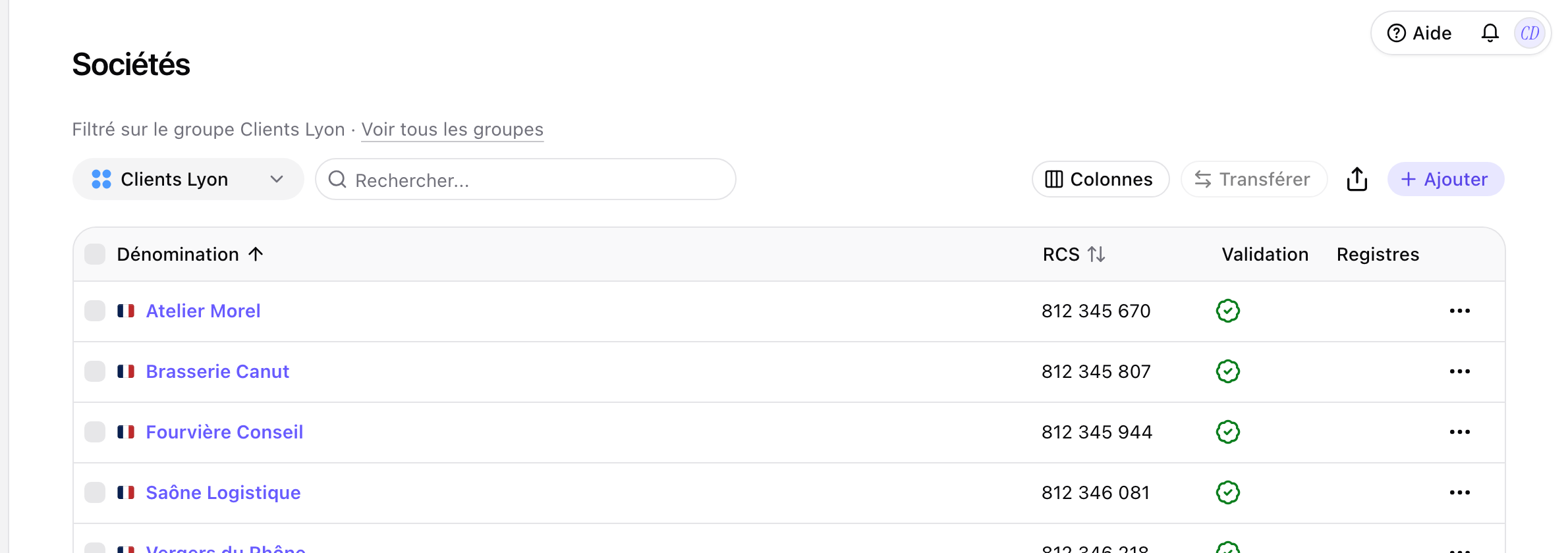
A group becomes a filter
Pick a group at the top of the page: Companies, Operations, Persons and Access then show that group only. The filter stays visible and comes off in one click.
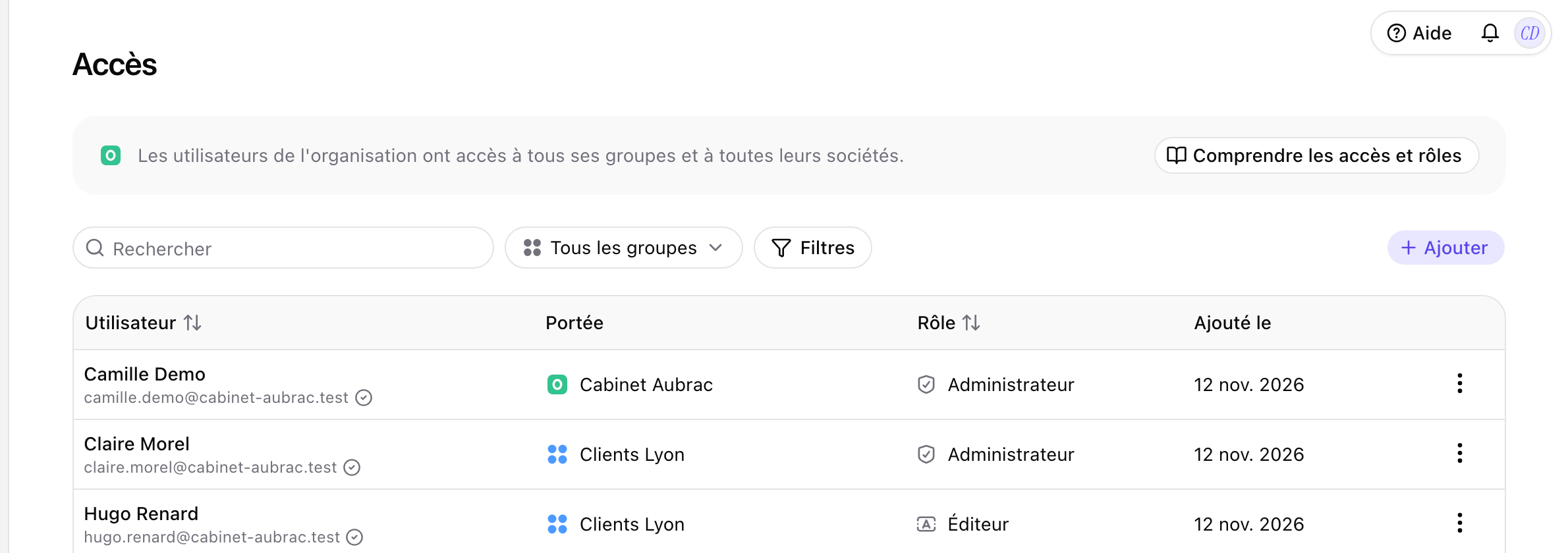
All access in one table
The access rights of the organisation, its groups and its companies fit in one table, filterable by group. Each row says where the access is given, and inherited access links to where it is managed.
All changes
The full list for this release. Only changes our customers can see are listed.
New
- Organisation and accessAll your views in one place
- Organisation and accessAll access in one table
Improved
- Interface and navigationSpot your companies at a glance: a filled building in the navigation, an outlined one in pages.